
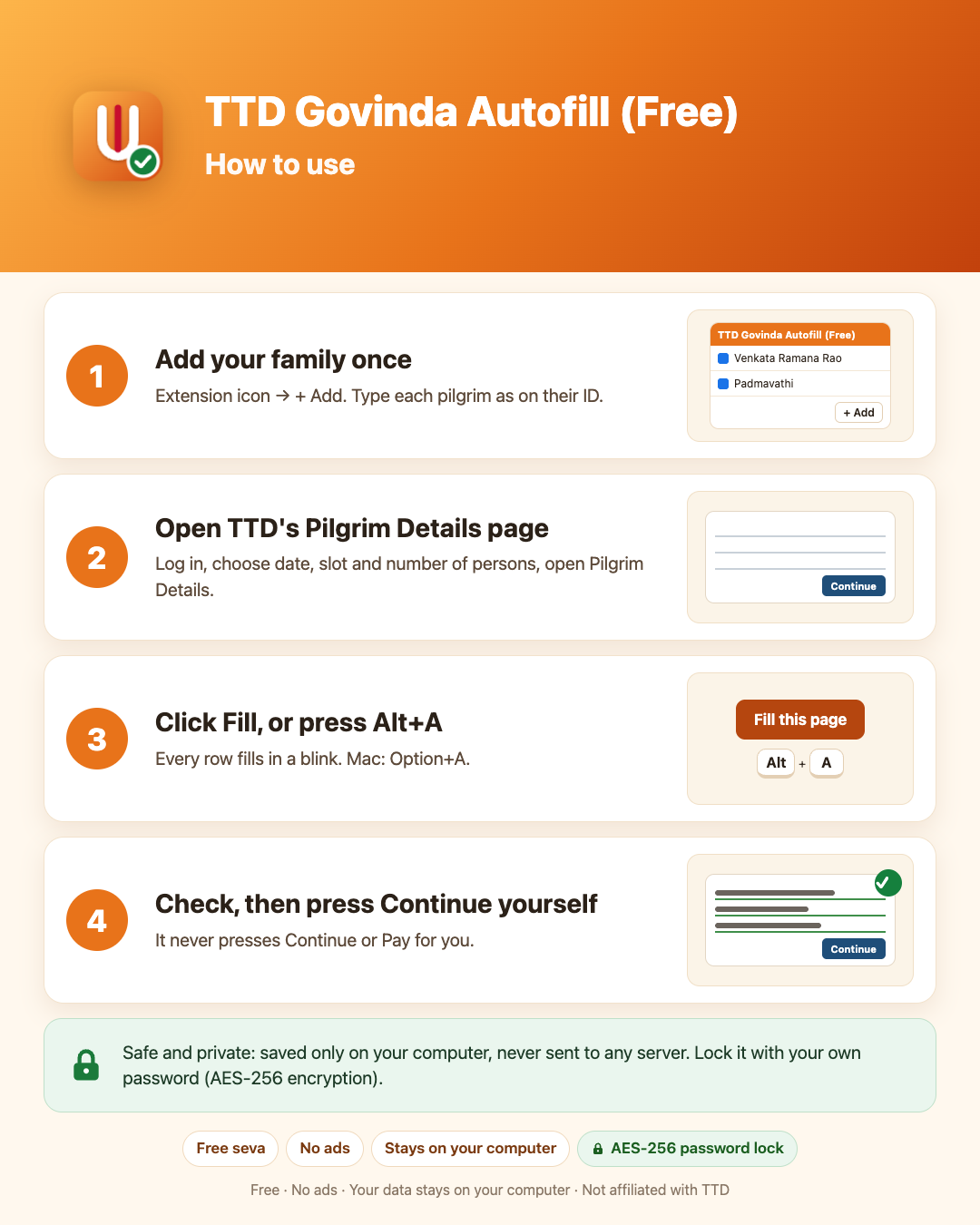
A free Chrome extension offered as a seva to Sri Venkateswara Swamy. It fills names, ages, gender, photo ID and ID numbers into
TTD's booking form (ttdevasthanams.ap.gov.in). You check the details and press Continue yourself: it never presses Continue,
Submit or Pay and never touches a CAPTCHA.
Open TTD's official booking site ↗
How to use
Your data is safe
- Saved only on your computer, in Chrome. Nothing is sent to any server; there is no account and no tracking.
- Optionally lock it with your own password: your details are then encrypted with AES-256.
- Works only on TTD's booking site unless you allow other sites in its Settings.
Full details: Privacy policy. The use of information handled by this extension adheres to the Chrome Web Store User Data Policy, including the Limited Use requirements.
Try it before booking day
Open the practice form (not TTD's site; nothing is sent anywhere) to see how the fill works with your saved pilgrims.
On a phone
Chrome on phones cannot run extensions, but Firefox for Android can. See Booking on your phone for the five steps.
Contact
Questions or suggestions: udayadev95@gmail.com